
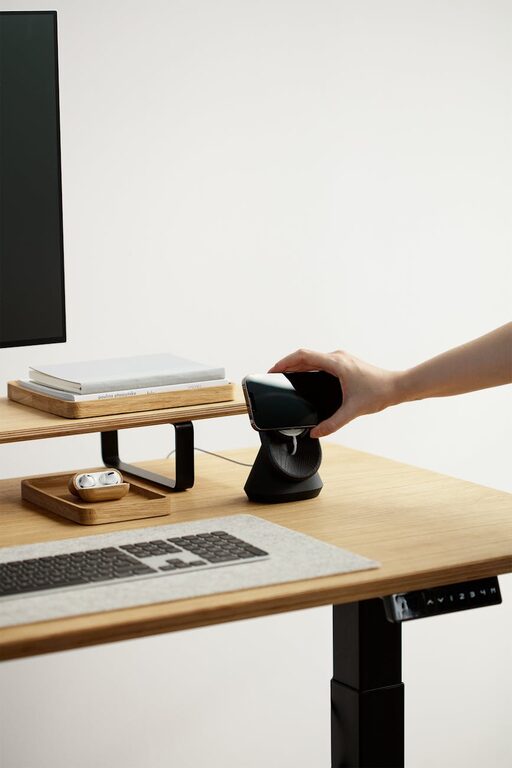
Creating an ideal desk setup can significantly improve your focus and comfort during work or study hours. Whether you work from home or spend long periods at a desk, arranging your workspace thoughtfully helps you stay productive, reduce fatigue, and even improve your mood. This post will guide you through practical tips for setting up a desk that supports your concentration and well-being.
Why Desk Setup Matters
Your desk is more than just a surface; it’s where you spend hours thinking, creating, and completing tasks. Poor setup can lead to discomfort, distractions, and decreased productivity. On the other hand, a well-organized and ergonomic workspace enhances your ability to focus and makes your time at the desk more enjoyable.
Choosing the Right Desk and Chair
Desk Height and Size
– Height: Aim for a desk height where your elbows rest comfortably at a 90-degree angle when typing or writing. Standard desks are usually around 28-30 inches tall, but adjust this based on your height.
– Size: Choose a desk spacious enough for your equipment and supplies without causing clutter. Enough surface area allows for flexibility to arrange your tools and keeps things organized.
Comfortable Chair with Support
Your chair plays a key role in comfort. Look for:
– Adjustable height and backrest
– Lumbar support to maintain your spine’s natural curve
– Comfortable padding
– Swivel and mobility, so you can reach items easily
Proper seating reduces back pain and helps maintain good posture, which is essential for longer work sessions.
Positioning Your Monitor and Devices
Monitor Placement
– Position your monitor directly in front of you about an arm’s length away.
– The top of the screen should be at or just below eye level to prevent neck strain.
– Avoid glare by placing monitors perpendicular to windows or using blinds.
Keyboard and Mouse Setup
– Keep your keyboard and mouse close to each other and at a height that allows your wrists to stay neutral.
– Consider using a wrist rest if needed.
– Wireless options reduce cable clutter.
Organizing for Efficiency
Declutter Your Desk
A clear workspace reduces distractions. Keep only essential items on your desk and store the rest in drawers or organizers. This helps create a clean visual environment and makes it easier to focus.
Use Organizers and Storage Solutions
– Desk trays, pen holders, and drawer dividers keep small items tidy.
– Vertical storage such as shelves or wall-mounted organizers save surface space.
– Label containers or drawers for quick access.
Lighting for Comfort and Concentration
Natural Light
Whenever possible, position your desk near a window to enjoy natural light. It can enhance your mood and reduce eye strain.
Task Lighting
Use an adjustable desk lamp with soft, focused light tailored to your needs. Avoid harsh overhead lighting or glare that can cause headaches.
Adding Personal Touches Wisely
Personal items like plants, photos, or artwork can make your space inviting and boost your motivation. Keep these minimal and non-distracting to maintain focus.
Managing Cables and Technology
Tidy up your cables with clips, sleeves, or under-desk trays. A neat setup reduces stress and prevents accidents. Regularly update and maintain your devices to avoid interruptions.
Maintaining Comfort During Work
Take Breaks and Stretch
No desk setup can replace the benefits of moving. Take regular short breaks to stand, stretch, and rest your eyes.
Stay Hydrated and Snack Smart
Keep a water bottle nearby and opt for healthy snacks to maintain energy without causing spikes or crashes.
Final Thoughts
Crafting a desk setup for focus and comfort takes some planning but pays off with improved productivity and well-being. Adjust your furniture, organize your space, optimize lighting, and personalize wisely. Your workspace should work for you—helping you achieve more with less strain and distraction.
By following these tips, you can create an environment that supports your best work every day. Start small, experiment with changes, and notice how your comfort and focus improve over time.